

DIAMONDTIGER
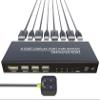
DiamondTiger KVM Switch 4 Computers - KVM Switch Displayport, One Monitor Switch to Share Mouse, Keyboard, Printer, USB 2.0 Device and Ultra HD Monitor, Support 4K@60Hz, 4 DP and 4 USB Cable Included
181,98€
303,30€
-
 Order within to get between
 -
 Tracked Shipping on All Orders
-
 14-Day Returns
- Secure Payments
-
 24/7 Customer Support
Description
- 4 Port DisplayPort KVM Switch- DiamondTiger displayport KVM switch is a display port switch that can help you sharing one monitor and 3 USB 2.0 devices such as scanner mouse keyboard between four computers. One set of input equipments and one HD 4k@60Hz monitor to control all connected computers
- Two Switching Modes- This 4 computers 1 monitor switch has 2 ways to switch between PCs, panel button and external remote controller. The Remote button is easier to click to toggle between systems. That is why this kvm switch 4 computers 1 monitor displayport will improve your efficiency on multi tasking. (This device does not support keyboard hotkey switching)
- Ultra HD 4K Visual Enjoyment- This displayport switch for multiple computers supports resolution up to 4k@60Hz38402160 @ 60Hz and backward compatible with lower resolution. Enjoy the convinient without losing the high quality color, video and audio
- Easy to install- Plug and play, 4 DP cable and 4 USB cable are in the package, what you need to do is just connect it between the KVM Displayport and your computers/laptops and enjoy your work and life getting easier and simpler.
- Strong compatibility- DiamondTiger display port switch for 4 computers works with great compatibility, suit for OS like DOS, Windows, Netware, Unix, Linux, Vista, Mac OS. For a business, office, multimedia classroom, meeting room, game room, home theater, research test, etc
- NOTE: In case of facing the keyboard and mouse disconnection issue. Mostly it is because the keyboard and mouse driver need to be updated to use the KVM Switch. Simply switch both cables between PC1 and PC2 (PC1 DP IN to PC2 DP IN and PC1 USB IN to PC2 USB IN), or restart the computer while KVM is connected to force a driver update. This should fix 90% of the problem. If you still have issues, please contact technical support through Amazon to answer any questions during use.
Shipping and Returns
- We offer tracked shipping on all orders. Tracking information will be shared as soon as the order is dispatched.
- Please check the delivery estimate before adding a product to the cart. This is displayed for every product on the website.
- Available shipping methods and charges will be displayed at the time of checkout, depending on your exact location.
- All customers are entitled to a return window of 14 days, starting from the date of delivery of the product(s).
- Customers are advised to read our return policy for details of the return process, eligibility, refunds as well as cancellations or exchanges.
- In case of any issues or concerns about Shipping or Returns, please contact us and we will be happy to help.
DiamondTiger.
DiamondTiger KVM Switch 4 Computers - KVM Switch Displayp...
181,98€
303,30€