

INNOSURE
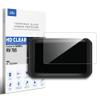
INNOSURE Premium Tempered Glass Screen Protector for Garmin RV 785 GPS Navigator 6.95"/7" Touchscreen Anti Finger Print (HD Clear)
54,75€
91,25€
-
 Order within to get between
 -
 Tracked Shipping on All Orders
-
 14-Day Returns
- Secure Payments
-
 24/7 Customer Support
Description
- Designed for Garmin RV 785 6.95"/7" GPS Navigator touchscreen, seamless size fitness.
- Made by aluminum silicate dual tempered glass, the excellent quality and most durable material gives you the maximum protecting from scratches, crapes, collisions.
- High definition with up to 99.99% transparency to allow optimal, natural viewing experience as the original. Touch-responsiveness guarantee hassle-free access and no delay.
- High-end oleophobic coating keeps the screen daily out of fingerprints, smudges, oil, water etc. Super easy to install along with the steps and without glue residue after peel-off.
- for Garmin RV 785 glass screen protector, RV785 accessories.
This Premium glass screen protector compatible with the 6.95"/7" touchscreen:
Gar min RV 785
Package Includes:
1* 7" HD Clear touchscreen glass screen protector
1* Installation kit
Installation Steps:
1. PREPARE: Open the package, close the window, confirm the interior space dust-free. Check the right direction & positions the glass should to be.
2. CLEAN: Set the screen to clean mode, first clean the screen with a alcohol wipe, then the micofiber cloth, and lastly use the dust absorber remove all dust remainning.
3. HOLD/FIXED : If screen embedded into the bezel, use the sucker on the front side to help hold the glass. If screen protruding with the bezel, use the alignment sticker fixed the glass top side onto the frame.
4. PEEL: Gently peel off the glass's back released film/board and hold the border or by sucker, not touch the glue zone anywhere.
5. CHECK: Check again any dust may rest on the screen at different direction sight, use the absorber dab out every one.
6. ALIGN: Slowly align the glass to let it close to the screen from one side, make sure the glass was set the fully right position. Press lightly on the midline of the glass to let it absord to the screen automatically.
7. REMOVE: Remove the bubbles using the provided squeegee or credit card coated mico-cloth. For stubborn bubbles carefully lift up the glass (most close to the bubble) all the way to the bubble and re-apply. (finished the installation, you can take off the sucker~) Your screen no longer naked from now on!
If you have any questions or problems please feel free contact us, we'll get back to you soon.
Shipping and Returns
- We offer tracked shipping on all orders. Tracking information will be shared as soon as the order is dispatched.
- Please check the delivery estimate before adding a product to the cart. This is displayed for every product on the website.
- Available shipping methods and charges will be displayed at the time of checkout, depending on your exact location.
- All customers are entitled to a return window of 14 days, starting from the date of delivery of the product(s).
- Customers are advised to read our return policy for details of the return process, eligibility, refunds as well as cancellations or exchanges.
- In case of any issues or concerns about Shipping or Returns, please contact us and we will be happy to help.
INNOSURE.
INNOSURE Premium Tempered Glass Screen Protector for Garm...
54,75€
91,25€